Akmon Review: A Free AI Humanizer That Passes Turnitin, GPTZero, and More
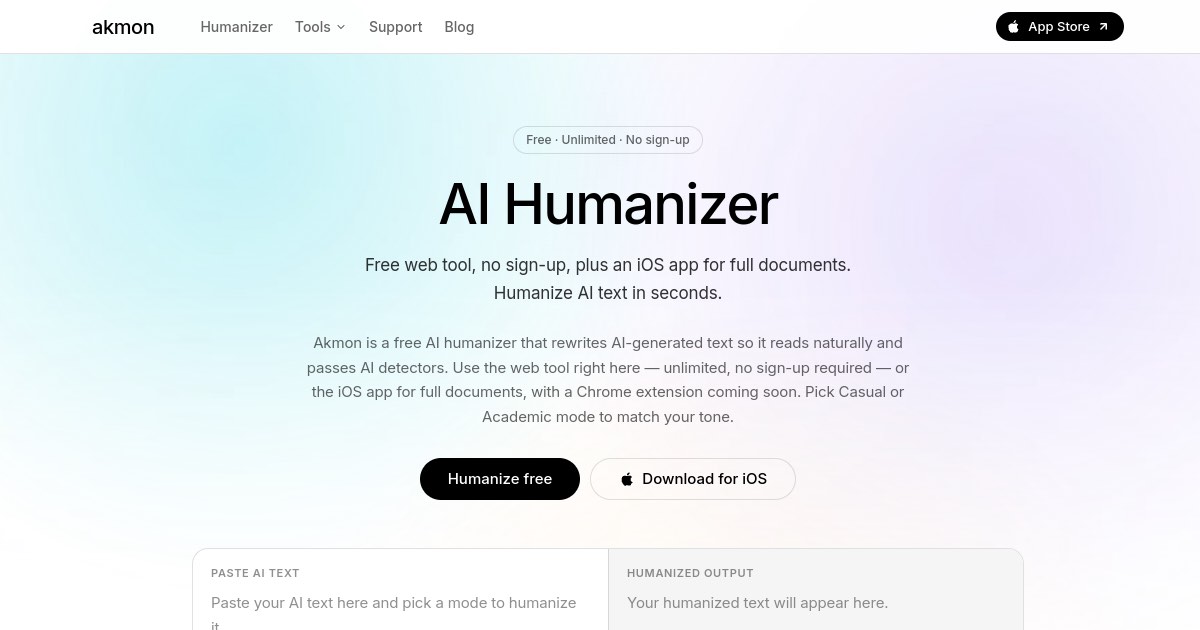
Akmon is a free AI humanizer that rewrites AI-generated text so it reads naturally and passes major AI detectors. No sign-up required for the web tool, with an iOS app for longer documents.
AI detectors have become a standard part of academic review, content publishing, and SEO workflows. Akmon is a free AI humanizer that rewrites AI-generated text into prose that reads as naturally human-written and passes the detectors most commonly used to flag it. The web tool requires no account and no payment, and an iOS app handles longer full-document rewrites.
What Akmon Does
Akmon takes text written by AI tools (ChatGPT, Claude, Gemini, and others) and rewrites it in a way that preserves the original meaning while removing the patterns AI detectors flag. The output reads naturally, not like a paraphrased version that clearly went through another algorithm. Two tone modes let you control the register: Casual for everyday writing and Academic for formal papers and submissions.
Beyond the humanizer, Akmon has built out a full suite of free writing utility tools available without an account. The whole platform is free to use on the web, with the iOS app covering longer documents that exceed the web tool's 300-word limit.
Who It Is Built For
Students and academics who use AI tools to draft essays, research papers, or assignments and need to submit work that passes Turnitin or GPTZero checks.
Content writers and SEO teams who produce AI-assisted content and need it to pass platform or editorial AI checks before publishing.
Professionals and freelancers who use AI to speed up writing but want the final output to sound like their own voice rather than a generated draft.
Anyone working across multiple languages who needs to translate or summarize documents without paying for a subscription tool.
How It Works
- Paste your AI-generated text into the web tool (up to 300 words) or open the iOS app for full documents
- Choose your mode: Casual for informal writing, Academic for formal submissions
- Select your language (English and multiple other languages supported)
- Click Humanize and get the rewritten output instantly
- Review the Human score shown alongside the output to confirm it passes
Key Features
AI detector bypass: Akmon's output is tested against Turnitin, GPTZero, Copyleaks, ZeroGPT, QuillBot, Writer, Sapling, and Originality.ai. The Human score shown after each rewrite reflects how the text will perform against these tools.
Two writing modes: Casual mode rewrites for conversational, readable output. Academic mode preserves formal register and structure, which matters for submitted papers that need to sound like academic writing, not a simplified version of it.
Free with no sign-up: The web tool is unlimited and free with no account required. This makes it practical for one-off rewrites without committing to yet another subscription.
iOS app for full documents: The App Store app lifts the 300-word web limit and handles complete essays, reports, or articles in one pass.
Chrome extension (coming soon): A browser extension is in development, which will let you humanize text inline without switching tabs.
Full writing utility toolkit: Alongside the humanizer, Akmon provides a set of free tools: AI Paraphraser, AI Math Solver (step-by-step verified answers), AI PDF Summarizer, PDF Translator (10 languages), YouTube Summarizer, Em Dash Remover, Remove Extra Spaces, Remove Line Breaks, and Invisible Character Detector. All free, all without sign-up.
Pricing
Akmon is free. The web humanizer and every tool in the suite are available without an account or payment. The iOS app is available on the App Store for users who need to process full documents beyond the 300-word web limit. There is no paid subscription tier on the web platform.
How It Compares
Most AI humanizers are paywalled after a short free trial. Undetectable AI, StealthGPT, and Humbot all require subscriptions for meaningful usage. Akmon's decision to keep the core tool fully free and no-account sets it apart for users who need occasional rewrites rather than a high-volume monthly workflow. The tradeoff is the 300-word web limit, which pushes longer documents to the iOS app rather than handling them on the web.
The built-in tool suite also goes beyond what most humanizers offer. Having a PDF summarizer, math solver, and YouTube transcript summarizer in the same place as the humanizer means Akmon serves as a broader writing utility for students rather than a single-purpose detector bypass.
Bottom Line
If you regularly work with AI-generated text and need it to pass detector checks, Akmon is the most accessible option available: free, no account, and tested against all the major tools. The 300-word web limit is the only constraint for casual use; the iOS app removes it for anyone processing longer documents. The surrounding toolkit of PDF tools, a math solver, and text utilities makes it a practical all-in-one writing assistant for students in particular.
Frequently Asked Questions
Is Akmon really free?
Yes. Akmon is free to use on the web with no sign-up required. The web humanizer, AI Paraphraser, AI Math Solver, PDF tools, and all other utilities are available without creating an account or entering a payment method.
What AI detectors does Akmon bypass?
Akmon is tested against Turnitin, GPTZero, Copyleaks, ZeroGPT, QuillBot, Writer, Sapling, and Originality.ai. A Human score is shown after each rewrite so you can verify the output before using it.
What is the word limit on the free web tool?
The web tool handles up to 300 words per rewrite. For longer documents like full essays or reports, the iOS app removes the word limit and processes the full text in one pass.
What is the difference between Casual and Academic mode?
Casual mode rewrites text for a conversational, readable tone. Academic mode preserves formal register and structure, making it suitable for academic papers and professional submissions that need to maintain a scholarly voice.
What other tools does Akmon include?
Alongside the AI humanizer, Akmon includes an AI Paraphraser, AI Math Solver, AI PDF Summarizer, PDF Translator (10 languages), YouTube Summarizer, Em Dash Remover, Remove Extra Spaces, Remove Line Breaks, and Invisible Character Detector. All are free and require no account.