FixMyPDF Review: 79+ Free PDF Tools That Never Upload Your Files
FixMyPDF is a privacy-first PDF toolkit with 79+ tools for compressing, converting, editing, and securing PDFs entirely in your browser. No uploads, no account, no limits, and it is completely free.
Every time you upload a PDF to an online tool, that file lands on a server you do not control. FixMyPDF takes the opposite approach: 79+ professional PDF tools that run entirely inside your browser, with your files never leaving your device. No account required, no file size limit, and no hidden fees.
What Is FixMyPDF?
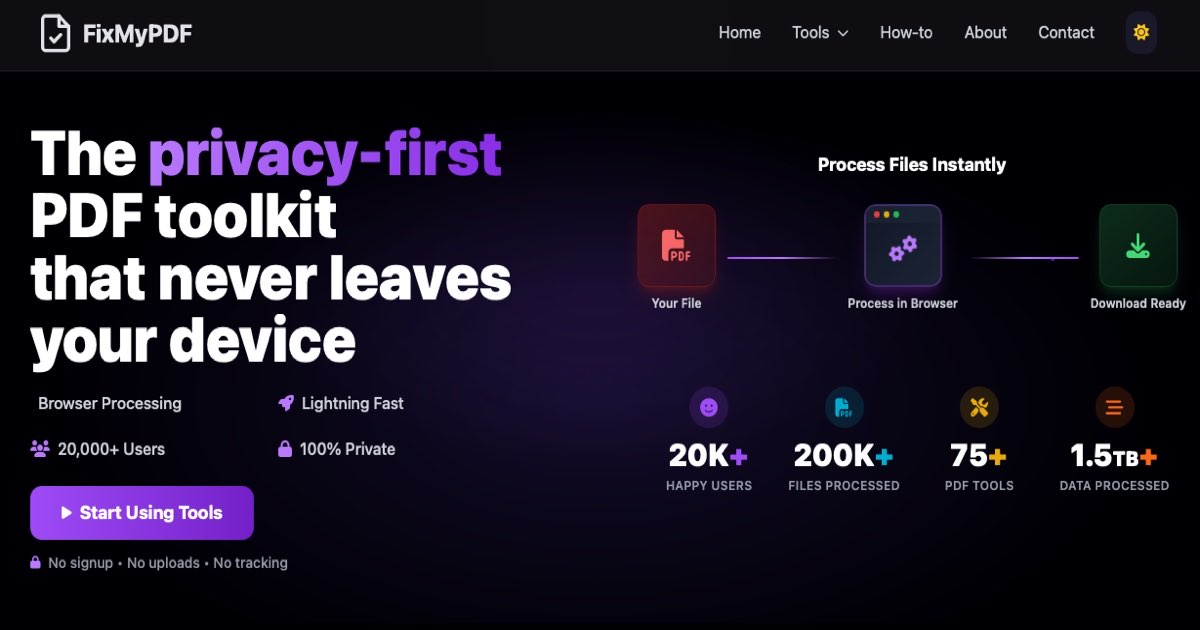
FixMyPDF is a browser-based PDF toolkit built around one core principle: your files stay on your device. Every operation (whether you are compressing a PDF, merging documents, or redacting sensitive content) happens locally using modern browser technology. No server upload, no waiting, no privacy risk.
The numbers speak clearly: 52K+ happy users, 480K+ files processed, and 4TB+ of data handled, all processed locally, never on a server.
Convert Anything To and From PDF
FixMyPDF covers virtually every conversion you will ever need. On the "to PDF" side, you can convert JPG to PDF, PNG to PDF, HEIC to PDF, WebP to PDF, HTML to PDF, EPUB to PDF, and even Markdown to PDF.
Going the other direction, you can extract content from PDFs too: PDF to JPG, PDF to PNG, PDF to text, and PDF to HTML.
Essential PDF Operations
The three operations every PDF user needs are all here and fast:
- Compress PDF: shrink file size without quality loss, entirely in-browser. The demo on the homepage shows a 4.2 MB file compressed to 1.1 MB (74% smaller) in seconds.
- Merge PDF: combine multiple PDFs into one, with drag-and-drop reordering before you download.
- Split PDF: extract individual pages or page ranges from any document.
Edit Pages and Layout
FixMyPDF goes far beyond the basics. You can rotate pages, reorder pages, remove specific pages, extract a subset of pages, crop pages to a custom size, and add blank pages anywhere in the document. There is also a page numbering tool and a blank page remover for cleaning up scanned documents.
Colors, Visual Styles, and Annotations
Need a dark-mode version of a PDF for night reading? The PDF dark mode tool handles it instantly. You can also convert to grayscale to reduce ink usage when printing, invert colors, or change the background color of any page. For annotations, you can add images, add a watermark, or flip pages.
Security and Privacy Tools
This is where FixMyPDF stands out most. Sensitive documents stay sensitive:
- Password protect any PDF before sharing it.
- Remove password protection from PDFs you own.
- Redact sensitive content: permanently black out personal information, account numbers, or confidential data.
- Sign PDFs without uploading them to a third-party service.
- Remove metadata: strip author name, creation date, software details, and other hidden data from PDFs before sharing.
All of these operations happen locally. When you redact a document or remove metadata on FixMyPDF, there is no version of that file sitting in a cloud database somewhere.
Advanced and Power-User Tools
For more technical use cases, FixMyPDF includes tools like the PDF Inspector (check internal structure and metadata), PDF compare (diff two versions side by side), form filler, flatten PDF (lock form fields and annotations before sending), and metadata editor. There is even a N-up tool for printing multiple pages per sheet.
Who Should Use FixMyPDF?
FixMyPDF works for anyone who handles PDF documents regularly, but it is especially valuable for:
- Founders and freelancers who handle contracts, proposals, and invoices and do not want client documents leaving their device.
- Designers who need to convert between image formats and PDF, compress large files, or swap out page colors.
- Students and researchers who merge papers, extract pages, and annotate documents without paying for Adobe Acrobat.
- Legal and finance professionals handling sensitive documents who need redaction and password protection they can trust.
Frequently Asked Questions
Is FixMyPDF really free?
Yes. FixMyPDF is free to use with no file size limits, no file count limits, no watermarks, and no account required. All 79+ tools are available at no cost.
Are my files actually private?
Yes. Every tool on FixMyPDF processes files locally using your browser's built-in capabilities. Your files are never uploaded to a server, never stored in the cloud, and never accessible to anyone other than you.
Do I need to install anything?
No installation required. FixMyPDF works in any modern browser on desktop, tablet, or mobile. Just visit the site and start using any tool immediately.
How does FixMyPDF compare to Adobe Acrobat?
Adobe Acrobat charges $19.99 per month for the full feature set. FixMyPDF offers comparable tools (compress, merge, split, sign, redact, protect) for free, with the added advantage that your files never leave your device. For most everyday PDF tasks, FixMyPDF covers everything Acrobat does at zero cost.
Can I use FixMyPDF on mobile?
Yes. FixMyPDF is optimized for mobile browsers. You can compress, convert, and edit PDFs directly from your phone or tablet without downloading a separate app.