Presentation Intelligence Review: AI That Builds Complete Slide Decks from Your Documents
Presentation Intelligence (Pi) is an AI slide creation platform that transforms uploaded text, documents, images, and reference decks into complete, structured presentations with consistent visual styling. A free plan is available; paid plans start at $9 per month billed annually.
Most AI presentation tools give you a blank canvas with smart suggestions. Presentation Intelligence (Pi) takes a different approach: give it your raw material and it builds the whole deck for you, content logic and all.
What It Does
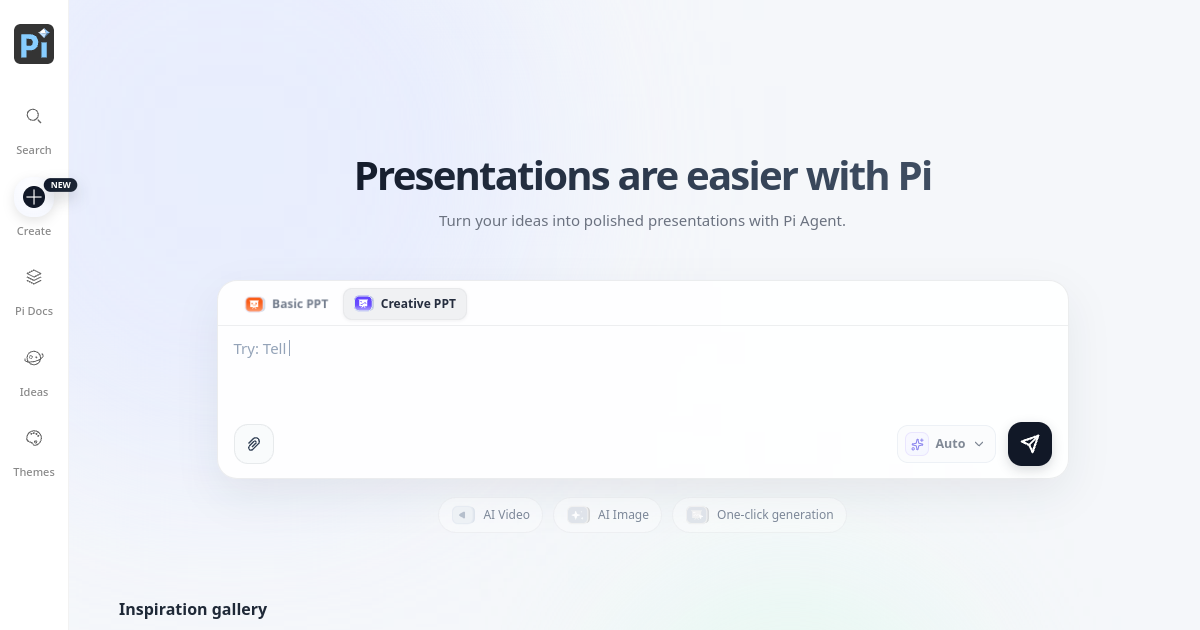
Presentation Intelligence is an AI slide creation platform that accepts text drafts, articles, notes, images, and even reference PPT files as input, then generates complete, ready-to-use presentations. The AI organizes the content into a logical structure, matches a unified visual style, and adjusts layout proportions across all slides automatically.
The result is a full slide deck rather than individual page suggestions. Two creation modes are available: Basic PPT for straightforward structured presentations, and Creative PPT for more visually expressive output. Both modes support one-click generation from a text prompt or uploaded document.
Who It Is Built For
Presentation Intelligence is built for people who need to produce polished presentations regularly but do not want to spend time on design or layout. That includes students doing class reports, office workers preparing team or client-facing presentations, and individual creators who want professional-looking slides without a design background.
The platform also supports real-time collaborative editing, which makes it relevant for small teams working on shared decks, whether for school projects or regular business meetings.
How It Works
The creation flow starts with your raw material. You can type a text prompt directly, upload a document or article, paste notes, or attach images and a reference presentation. The AI reads your input, determines a logical content structure, selects a visual theme, and generates a complete slide set. The whole process takes seconds rather than the manual iteration of adjusting individual slides.
Once the deck is generated, slides are editable in the browser. Multiple users can view, edit, and leave comments simultaneously, which covers the collaboration use case without requiring a separate tool. Completed presentations can be exported as editable PPT files on paid plans.
Key Features
- One-click presentation generation from text, documents, images, or reference PPTs
- Basic PPT and Creative PPT modes for different output styles
- AI content logic organization across the full deck, not individual slides
- AI image generation and AI video support for visual content within slides
- Real-time team collaboration with co-editing and inline comments
- Editable PPT export on paid plans
- Custom theme templates and custom font upload
- Inspiration gallery with example presentations across categories
Pricing
Presentation Intelligence offers a free plan and four paid tiers, all billed annually.
The Free plan includes 400 welcome points, AI slide creation with credits, up to 10 cards per prompt, 100MB cloud storage, and custom themes. Export to PPT is not available on the free plan.
The Plus plan is $108 per year ($9 per month), with 5000 credits per month, 20 to 50 slides per generation, up to 30 cards per prompt, 100GB cloud storage, unlimited AI creation and editing, AI image generation with advanced models, and multi-format export including PPT.
The Pro plan is $168 per year ($14 per month), with 12000 credits per month and up to 50 cards per prompt, otherwise matching Plus features. The Max plan is $336 per year and the Studio plan is $888 per year for higher-volume use cases.
How It Compares
Gamma.app is the closest comparison. Both generate full decks from a prompt or document, but Gamma outputs a web-native presentation format while Pi generates traditional slide decks with PPT export. If the output needs to go into PowerPoint or be shared as a file rather than a link, Pi's format is more practical for most office environments.
Beautiful.ai focuses on smart templates and layout automation within a standard editing flow. It requires more manual input to build a full deck. Pi's single-shot generation from raw documents is faster for users who want to go from notes to a finished presentation without building slide by slide.
PowerPoint Copilot requires a Microsoft 365 subscription. Pi's Plus plan at $108 per year is comparable in cost but works independently of any Microsoft account and adds team collaboration without a Teams prerequisite.
Bottom Line
Presentation Intelligence is a practical tool for anyone who regularly turns documents, meeting notes, or written briefs into slide presentations. The full-deck generation from uploaded content rather than slide-by-slide building is the differentiating capability, and the real-time collaboration makes it usable for team workflows. The free plan is accessible for low-volume use, and the Plus plan at $9 per month covers the full feature set for most individuals and small teams.
Frequently Asked Questions
What file types can I upload to create a presentation?
Presentation Intelligence accepts text drafts, articles, notes, images, and reference PPT files as input for AI generation. You can also type a plain text prompt directly into the creation interface without uploading anything.
Can I export the generated presentations as PowerPoint files?
Yes, multi-format export including PPT is available on all paid plans starting with Plus at $9 per month. The free plan supports AI creation and editing within the platform but does not include export to PPT or other file formats.
Does Presentation Intelligence support team collaboration?
Yes. Multiple users can view, edit, and leave comments on slides simultaneously in real time. This is available across plans including the free tier. For more advanced team account features, the team can be contacted at support@pi.inc.
What is the difference between Basic PPT and Creative PPT modes?
Basic PPT produces structured, straightforward presentations suited to business reports, class assignments, and formal documents. Creative PPT applies more expressive visual styles suited to pitches, product showcases, and presentations where design impact matters alongside content.
Is there a free plan and does it require a credit card?
Yes, Presentation Intelligence offers a permanent free plan with no credit card required. It includes 400 welcome points, AI slide creation with credits, up to 10 cards per prompt, 100MB cloud storage, and custom theme templates. Export to PPT is not included in the free plan.