Vaiz Review: The All-in-One Workspace That Replaces Your Entire Tool Stack
Vaiz combines tasks, documents, timelines, and automation in one workspace. Here is how it holds up against Notion, ClickUp, and Asana.
Most small teams run on three or four tools at once: a task manager, a doc editor, a timeline view, and maybe an automation layer on top. Vaiz is built around one idea: that all of that should live in one place. After spending time with the product, here is an honest look at what it does well and who it is best suited for.
Getting Started with Vaiz
Signing up takes under a minute. Vaiz offers a 30-day free trial with no credit card required, so you can explore the full feature set before committing. Once inside, the onboarding walks you through creating your first project and choosing a template. There are 15+ pre-built templates covering common workflows: Scrum, Kanban, Waterfall, OKR tracking, Sales CRM, Marketing, Recruitment, and more. If you are already using Asana, Jira, Trello, or ClickUp, Vaiz lets you import your existing data directly so you are not starting from scratch.
How It Works: One Workspace for Everything
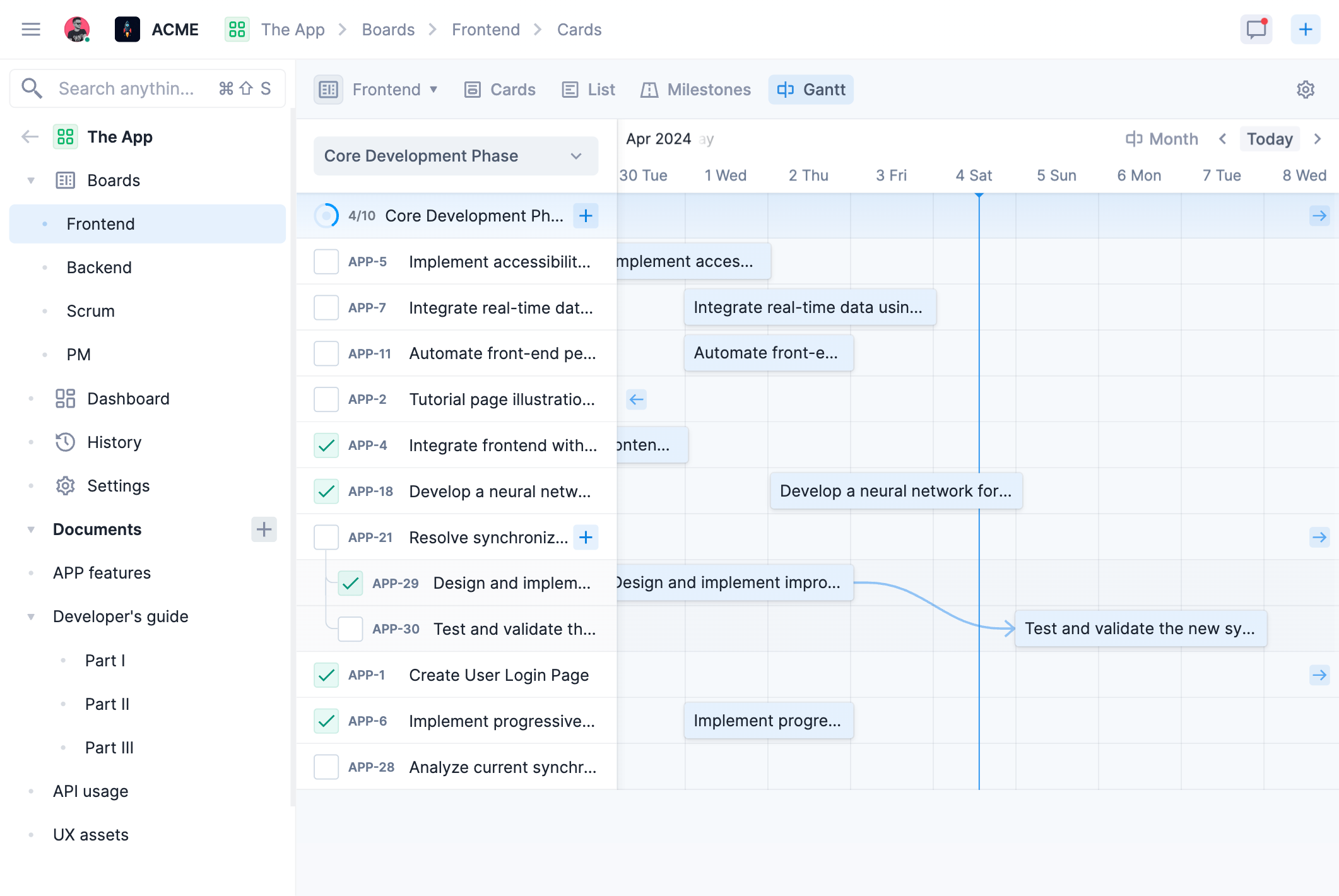
The core of Vaiz is a project workspace where tasks and documents coexist. Instead of switching between a task manager and a separate wiki, your documentation lives right next to the work it describes. Tasks support all the fields you would expect: status, priority, deadline, assignee, subtasks, and custom fields. Views include Kanban boards with WIP limits, Gantt charts for timeline and dependency visualization, and dashboard views for metrics and progress tracking.
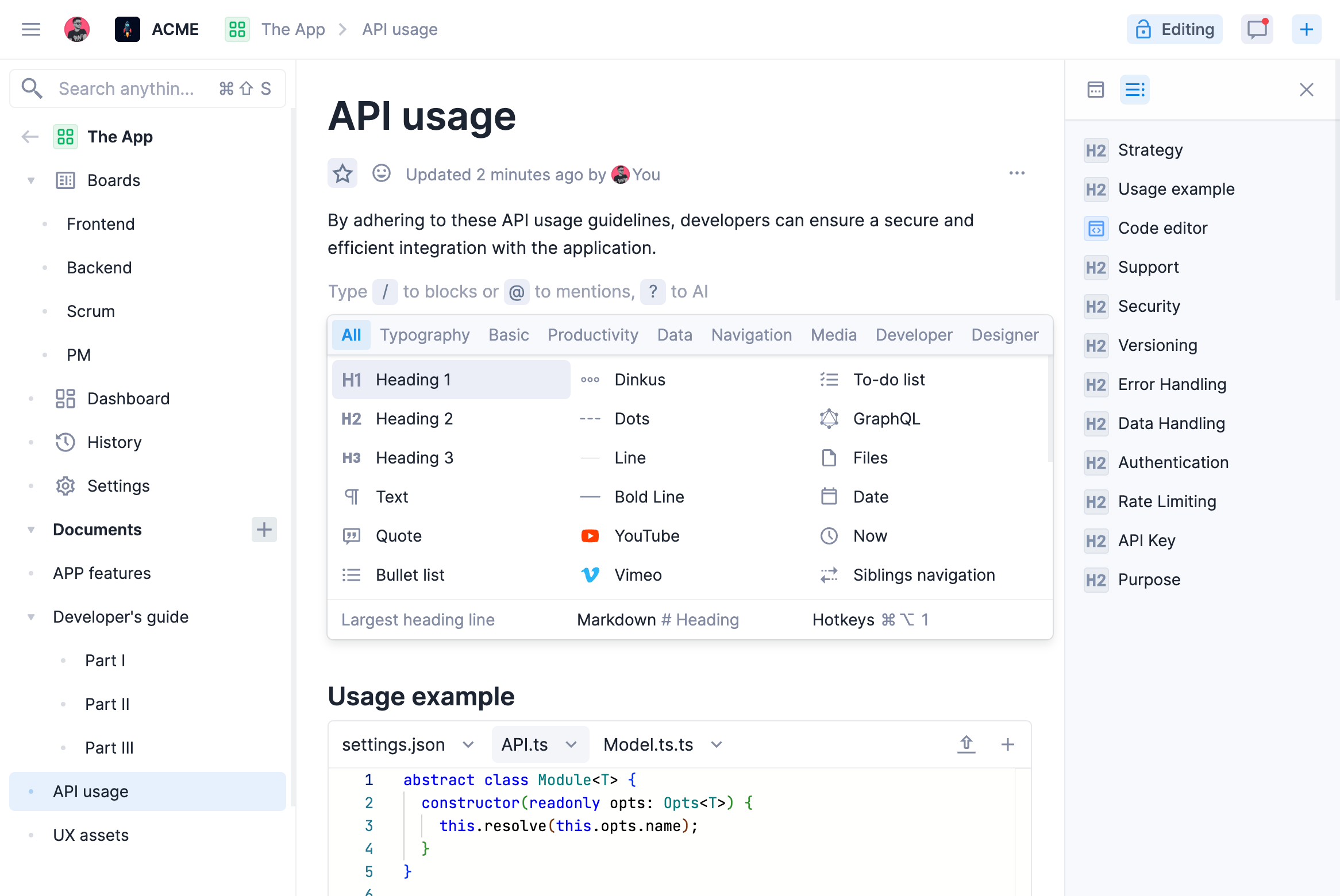
The document editor is more capable than it looks at first glance. With 60+ editing tools, it handles todos, checklists, data grids, code blocks, images, videos, and third-party embeds including YouTube, GitHub, Figma, and CodeSandbox. It is a real collaborative editor, not a basic notes field.
Automation is built in rather than bolted on. You can set up workflow rules to trigger actions based on status changes, deadlines, or field updates without needing a separate tool like Zapier for basic routines.
Key Features Worth Knowing
A few things stand out after using Vaiz regularly:
- Genuinely all-in-one: tasks, docs, timelines, automation, and dashboards in one product. No context switching between tools.
- Generous free plan: up to 10 team members, 2 GB storage, and 100 automations per month at no cost.
- Capable document editor: 60+ tools with real-time collaboration, embeds, and rich content types. More than most task tools offer.
- Built-in Gantt charts: timeline views with dependency linking come standard, not as a paid add-on.
- Clean import paths: migrate from Asana, Jira, Trello, or ClickUp without manually re-entering your existing work.
- AI assistant on Premium: turns rough ideas into structured tasks and documents. Included in the Premium plan rather than priced separately.
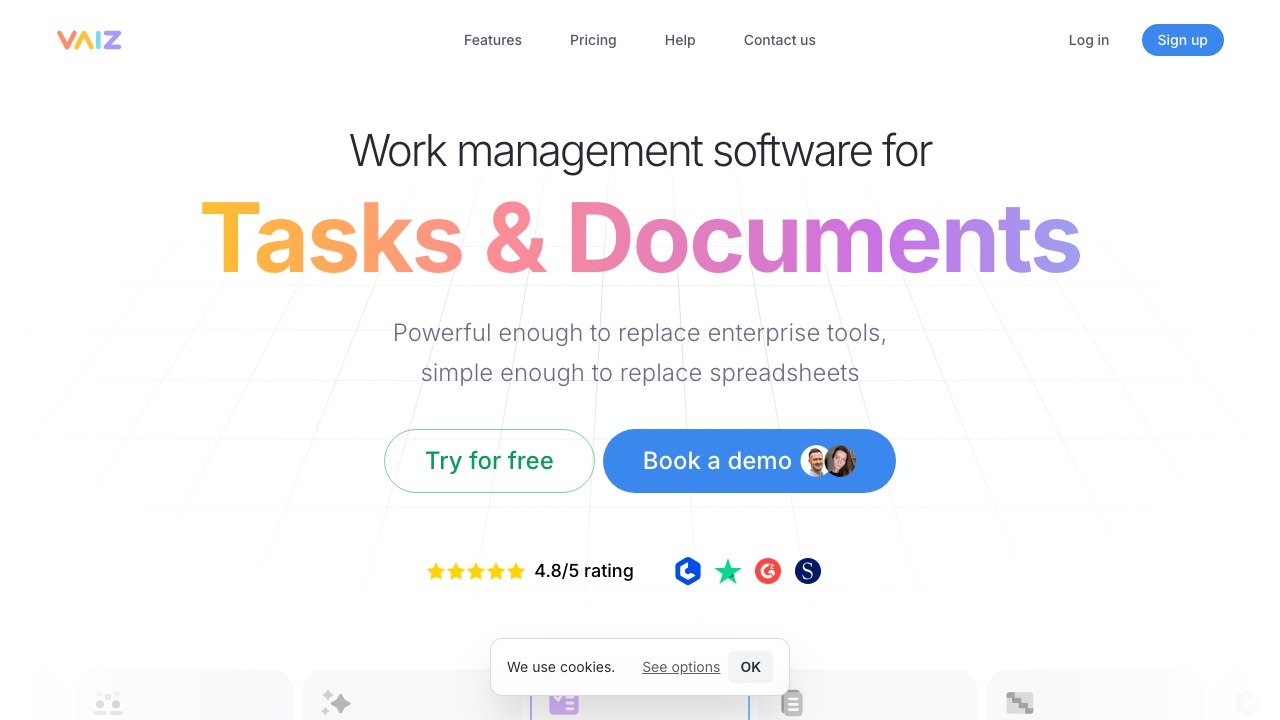
- Rated 4.8 out of 5 across Crozdesk, Trustpilot, G2, and SoftwareSuggest.
- 30-day free trial, no credit card required: the lowest-friction way to test a new PM tool.
Vaiz vs. The Competition
Vaiz is priced at $5 per user per month on the Pro plan and $9 on Premium, billed annually. That puts it below most of its direct competitors. By their own comparison: 64% cheaper than Asana, 55% cheaper than Notion, 49% cheaper than Trello, and 36% cheaper than Jira.
The more relevant comparison is feature breadth. Notion gives you great docs but weak task management. Asana gives you solid tasks but no built-in docs. ClickUp tries to do everything but has a steep learning curve. Vaiz sits in an interesting middle position: the task management is serious enough for engineering and operations teams, and the document editor is capable enough to replace a separate wiki. For teams tired of paying for and maintaining multiple subscriptions, that combination is the main selling point.
Your tool feels like a breath of fresh air. Everything is intuitive and uncluttered. - Alex Aleshin, SpaceFleet Commander
Who Is Vaiz For?
Vaiz is best suited for small to mid-sized teams (5 to 50 people) who are currently juggling multiple tools and want to consolidate. It works well for sales teams, marketing teams, development teams, and cross-functional teams running projects with mixed documentation and task needs. It is not a fit for very large enterprise teams with complex access control requirements, or for teams that need deep integrations with a specific tool in their existing stack.
Vaiz Review: The Verdict
Vaiz does what it promises: it brings tasks, documents, timelines, and automation under one roof without the bloat that usually comes with that ambition. The interface is clean, the pricing is fair, and the free plan is genuinely useful rather than a gimmick. The document editor surprised me most, it is substantially better than what most task-management tools include.
If your team is currently paying for Notion and Asana separately, or if you are spending time every week switching between tools to find context, Vaiz is worth a proper trial. The 30 days with no credit card required makes that an easy decision to test.
FAQ
Is Vaiz free to use?
Yes. Vaiz has a free plan that supports up to 10 team members, includes 2 GB storage and 100 automations per month. There is also a 30-day free trial of the paid plans with no credit card required.
How does Vaiz compare to Notion?
Notion is stronger as a standalone knowledge base and wiki, but its task management is limited. Vaiz offers a more capable task layer with Gantt charts, Kanban boards, automation, and dashboards alongside its document editor. For teams that need both, Vaiz is the more integrated option.
Can I import my data from Jira or Asana?
Yes. Vaiz supports direct imports from Asana (JSON), Jira (XML), Trello (JSON), and ClickUp (JSON), so you can migrate your existing projects without starting from scratch.
Does Vaiz have a mobile app?
Yes. Vaiz is available on web browsers, iOS, and Android.
What is included in the Premium plan?
Premium ($9 per user per month billed annually) includes unlimited users, unlimited storage, unlimited automations, unlimited history, the AI assistant, and priority 24/7 support. A 50% startup discount is available, contact their sales team for eligibility.
Is Vaiz good for development teams?
Yes. Vaiz supports Scrum and Kanban workflows, Gantt charts with dependency tracking, milestones and epics, code block embeds in documents, and GitHub integration. Several development teams have noted it as a noticeable usability improvement over Jira.