AI Icon Creator Review: Turn a Text Prompt Into a Platform-Ready App Icon Set
AI Icon Creator generates app icons from a short text description across 14 curated styles, lets you fix just the part that's wrong instead of regenerating from scratch, previews the result at real device sizes, and exports a full iOS, Android, and web icon pack.
An app icon is the first thing anyone sees, on the home screen, in the store listing, in the browser tab, and most of them are made last, under time pressure, by whoever is free that week. AI Icon Creator turns a short description into a finished icon across 14 curated styles, lets you fix just the part that is not working instead of starting the prompt over, and exports everything iOS, Android, and the web actually need in one pack.
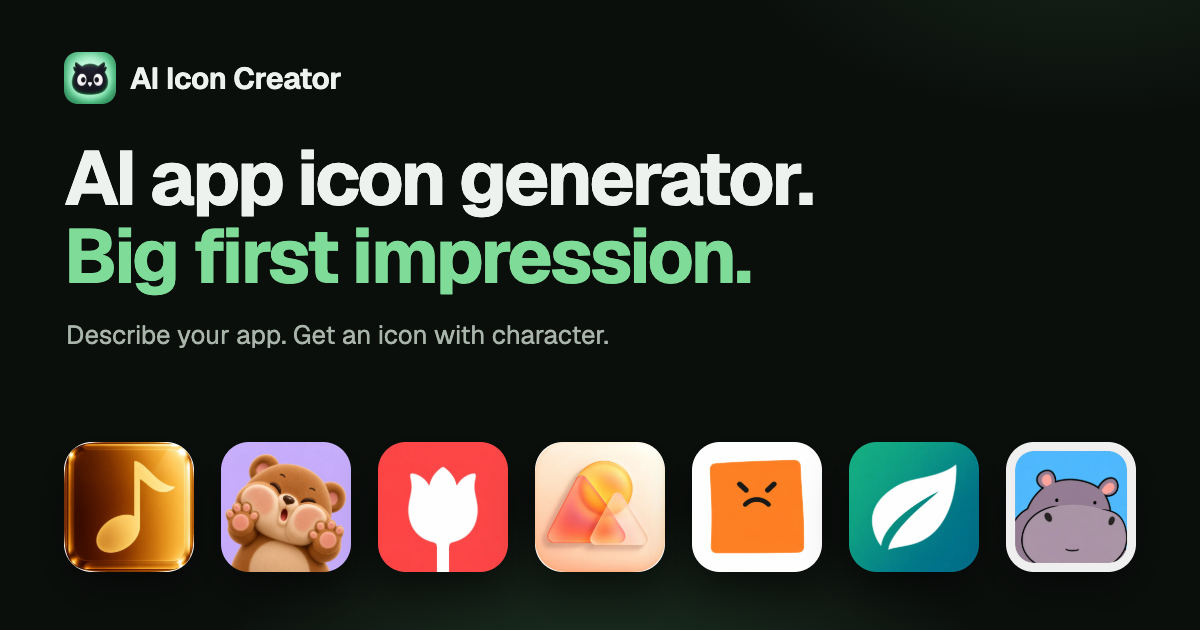
What AI Icon Creator Does
AI Icon Creator is a web app for making app icons from a short text description, for example "a calm blue whale for a meditation app." You describe the subject, pick one of 14 curated styles, and it generates a square icon in that direction. You can also start from a picture of your own instead of a blank prompt.
The 14 styles are organized into four groups: Flat & graphic (Clean flat, Edge negative, Geometric expression), Dimensional (Clay 3D, Glossy 3D, Folded ribbon, Matte tinted silhouette), Materials (Refined metal, Fused glass, Coloured frosted glass), and Characters (Minimal friendly character, Playful characters, Monoline character, Glass-crash toy). Each style exposes its own adjustable settings, background or subject colour, a custom HEX code, an expression option for the character styles, and a simpler-or-more-detailed rendering level, so the same style can still land differently depending on what you are branding.
Who It Is Built For
Indie developers and solo founders shipping an app who need a professional-looking icon without commissioning a designer or digging through stock icon packs that were never made for their app.
Anyone who wants to try several directions before committing, since switching styles on the same subject costs a regeneration, not a new design brief, and every version stays saved rather than overwriting the last attempt.
Teams that need the full platform export set, iOS, Android, and web favicon sizes, without manually resizing and re-exporting a single master file for each target.
How It Works
Describe the subject, choose a style, and generate. If most of the icon works but one part does not, for example the expression or a stray detail, you can mark up to three spots directly on the icon and describe what should change instead of rewriting the whole prompt and starting over. Every edit saves as a new version, so earlier attempts are never lost.
Before downloading, the icon can be checked at the sizes it will actually ship at, 64, 32, and 29 pixels, on both light and dark backgrounds, which catches detail that reads fine at full size but turns to mud at home-screen scale. The download itself includes a full-size PNG and a ZIP pre-sized for everything iOS, Android, and web favicons need. Some styles can also export SVG, and a layered PSD (beta) for further editing; both of these use credits and come with the Pro and Max plans or a credit pack. The PSD's layers are redrawn by AI rather than extracted from the original render, so it is worth checking them before relying on them in a design file.
Features
- 14 curated styles across four groups, flat and graphic, dimensional, materials, and characters, each with its own adjustable settings rather than one generic prompt box.
- Start from your own image instead of a text description only, for cases where you already have a rough direction or an existing mark to reinterpret.
- Targeted spot edits. Mark up to three areas and describe the fix instead of regenerating the whole icon, with every edit kept as its own version.
- Pre-download size checks at 64, 32, and 29 pixels on light and dark backgrounds, so you catch legibility problems before they ship.
- Full platform export pack, a full-size PNG plus a ZIP sized for iOS, Android, and web favicons in one download.
- SVG and layered PSD exports (beta) on some styles, included with Pro, Max, or a credit pack, with the caveat that PSD layers are AI-redrawn and worth a check before you build on them.
Pricing
New accounts get 30 free credits (about 3 icons) with no card required. Subscriptions run three tiers: Lite ($14.90/month, 400 credits/month, for the occasional icon or a single app), Pro ($29.90/month, 1,000 credits/month, adds SVG and PSD exports, recommended for regular launches), and Max ($59.90/month, 2,400 credits/month, built for studios and agencies making icons at volume). New users get roughly 30% off their first 30 days on any monthly plan (Lite $9.90, Pro $20.90, Max $41.90), and yearly billing saves 20% on top of that (Lite $11.90/month billed $142.80/year, Pro $23.90/month billed $286.80/year, Max $47.90/month billed $574.80/year). Every plan includes all 14 styles and commercial use.
For anyone who does not want a subscription, three one-time credit packs are available: S ($9.90, 200 credits, enough for about 20 icons), M ($29.90, 700 credits), and L ($69.90, 2,400 credits), each with a new-user discount on the first purchase too.
How It Compares
Commissioning a designer gets a result tailored to your brand, but it is slow and expensive for what is usually one square image, and trying a second direction means starting the brief over. Generic AI image generators can produce icon-shaped output, but they are not icon-aware: no device-size preview, no platform export pack, and no way to fix just the mouth or the background colour without rerolling the whole image. Stock icon marketplaces are fast and cheap but hand you something that was not made for your app and that other apps are using too. AI Icon Creator's narrower focus, icons specifically, previewed at the sizes they will actually ship at, exported in the formats each platform wants, is the trade a general-purpose tool does not make.
Bottom Line
If you are shipping an app and need an icon that looks considered rather than default, AI Icon Creator gets you there faster than a design brief and more precisely than a generic image generator, with the platform-ready export pack and real-size preview doing the part most tools skip. The free credits are enough to see whether a style direction works for your app before you commit to a plan.
Frequently Asked Questions
Can I start from an image I already have instead of a text prompt?
Yes. AI Icon Creator supports starting from a picture of your own in addition to a text-only description, useful if you already have a rough direction or an existing mark to reinterpret in a new style.
What if only part of the icon needs fixing?
You can mark up to three spots on the icon and describe what should change there instead of rewriting the prompt and regenerating the whole thing. Each edit is saved as its own version.
What do I actually get in the download?
A full-size PNG and a ZIP pre-sized for everything iOS, Android, and web favicons need. Some styles also support SVG and a layered PSD (beta); these use credits and are included with the Pro or Max plans, or a credit pack. PSD layers are redrawn by AI rather than extracted, so it is worth checking them before relying on them.
Is there a free way to try it?
Yes. New accounts get 30 free credits, about 3 icons, with no card required, across all 14 styles.
Should I get a subscription or a credit pack?
A subscription (Lite, Pro, or Max) renews credits monthly or yearly and includes a new-user discount on the first 30 days, better suited to regular icon work. A one-time credit pack (S, M, or L) has no subscription and no expiry pressure, better suited to a single app or a one-off batch.