AI-Assisted PM Kit Review: The Discipline Layer That Makes Claude a Reliable Project Partner
The AI-Assisted PM Kit is a $29 system of rules and workflow prompts that stops Claude from guessing, overwriting, and closing tasks it should not. Here is what is inside and who it is built for.
Connecting Claude to Jira takes about a day. Making it trustworthy takes months of burned projects and double-checked updates before you figure out the rules that actually work. The AI-Assisted PM Kit is the result of someone doing that work and packaging it so you do not have to.
What It Is
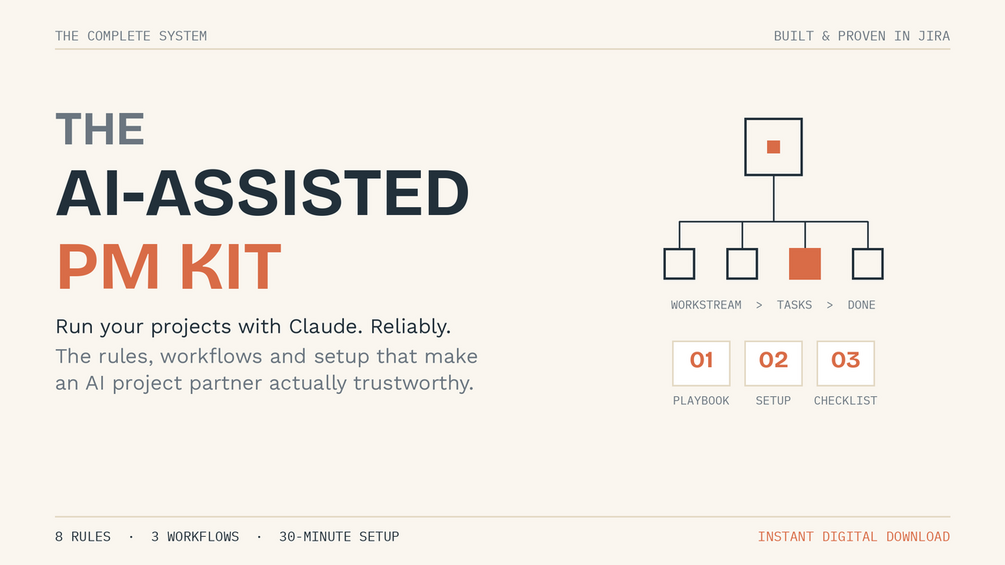
The AI-Assisted PM Kit is a $29 one-time purchase that gives you a complete operating system for running a project tracker with Claude as your AI project partner. It is not a plugin, a Chrome extension, or a SaaS tool. It is a kit: a set of PDFs, a plain-text Claude instruction block, and three workflow prompts that encode the rules Claude needs to behave reliably instead of creatively.
The problem it solves is specific. When most people connect Claude to Jira or another PM tool for the first time, the AI works impressively at first and then starts causing subtle damage. It guesses at task status. It silently overwrites comments with newer information. It closes tasks that are not done because the wording sounded like they were. You end up spending more time auditing Claude than you would have spent updating things manually. The kit fixes that by giving Claude a discipline layer it defaults to when you have not given it explicit instructions.
Who It Is Built For
The kit is built for people who are already using Claude with a PM tool and have hit the reliability wall. If you are a project manager, a solo founder tracking multiple workstreams, or a consultant managing parallel client projects, and you are already familiar with Claude Projects and connectors, this kit solves the specific problem of making Claude predictable instead of occasionally catastrophic.
It is not a beginner guide. The product page is honest about this: you need a Claude plan with Projects and connectors (not available on the free tier), an account on your PM tool of choice, and working familiarity with both. If you are starting from zero with Claude, the kit will feel like getting the second book in a series. Come back to it once you have run a few projects through Claude manually and started noticing where it breaks.
What Is Inside
The kit ships four components:
The Playbook is the main document. It explains the complete system: how to structure your workstreams and tasks so Claude can navigate them reliably, and the eight rules that prevent the most common failure modes. The rules are specific and operational, not philosophical. Things like: always verify the live tracker before proposing an action, propose before executing, never silently overwrite a field, handle ambiguous references by asking instead of guessing. These eight rules, encoded consistently into Claude's instructions, are what turn a capable but unpredictable AI into a project partner you can trust with real data.
The Claude Project Setup is the instruction block you paste directly into your Claude Project. This is where the rubber meets the road. The setup encodes all eight rules into Claude's behavior for every conversation in the project, along with three workflow prompts built for the actual rhythms of a working week.
The three workflow prompts cover:
- Daily updates: forward an email thread, paste a message, or dictate a voice note. Claude files it correctly: dated comment, updated status, child tasks created if needed, due date recalculated.
- Pre-meeting agenda prep: cross-references against live project history and surfaces what is new or unresolved, clearly marked.
- Post-meeting logging: logs one item at a time, flags contradictions against existing data instead of silently overwriting records.
The Quick-Start Checklist is a practical one-pager: from zero to a working setup in approximately 30 minutes.
The Upgrade Loop is a single prompt you run at the end of long working sessions. It folds what you and Claude learned that day back into your instruction set. The kit ships with good defaults. Your version gets better every week you run the loop because it accumulates the edge cases specific to your projects.
Tool Compatibility
The kit is built around Jira because that is where the author refined it, but the system is explicitly tool-agnostic. It works with any PM tool that has items, comments, and due dates. Linear, Asana, ClickUp, and monday.com are all mentioned specifically. The underlying rules are about how Claude should reason about project data, not about any particular platform's API or interface.
Pricing
The AI-Assisted PM Kit is $29 as a one-time purchase on Gumroad. Instant download. No subscription, no ongoing cost. If you are spending two to three hours a week auditing AI-generated updates that went wrong, the payback time is measured in days.
How It Compares
The honest comparison is not this kit versus another product. There is not really a direct competitor in the same format. The alternatives are: (1) figuring out the rules yourself through months of painful experience, (2) hiring someone to manage the AI output, or (3) staying on the free-form, unreliable approach that makes people distrust AI for project management entirely. This kit is the shortcut to option one, packaged by someone who did the months of work and documented what actually stuck.
Bottom Line
If you are already running Claude with a project tracker and you have noticed it breaking things in subtle ways, The AI-Assisted PM Kit is a practical solution at a fair price. The eight rules and three workflow prompts are the kind of thing you would eventually arrive at yourself. The kit just saves you the months it takes to get there.
It is not for everyone. If you are not already on a Claude paid plan with connectors, or if you are new to using AI for project management, wait until you have hit the reliability wall yourself. When you do, this kit will feel like exactly what you needed six months earlier.
Frequently Asked Questions
What PM tools does the AI-Assisted PM Kit work with?
The kit is built around Jira but is explicitly tool-agnostic. It works with any PM tool that has items, comments, and due dates, including Linear, Asana, ClickUp, and monday.com. The rules govern how Claude reasons about project data, not which platform you use.
Do I need a paid Claude plan to use this kit?
Yes. The kit requires Claude Projects and connectors, which are not available on Claude's free plan. You need a Claude paid plan that includes the connectors feature, plus an active account on your PM tool of choice.
What is the Upgrade Loop and why does it matter?
The Upgrade Loop is a single prompt you run at the end of long working sessions. It analyzes what you and Claude learned during the session and folds any new rules, edge cases, or refined behaviors back into your Claude Project instructions. Over time, your instruction set becomes specific to your projects and workflow rather than staying generic.
Is this suitable for someone who has never used Claude with a PM tool before?
Not as a first step. The kit assumes working familiarity with Claude Projects, connectors, and PM concepts like epics, tasks, and subtasks. It is best suited for people who have already tried running Claude with a tracker and encountered the reliability problems the kit is designed to solve.
How long does setup take?
The included Quick-Start Checklist is designed to get you from zero to a working setup in approximately 30 minutes. The main work is pasting the Claude Project Setup instruction block into your Claude Project and connecting your PM tool. The workflow prompts are ready to use immediately after that.